GTA 5 Goodbye AIby Goodbye Pier AI
Real order made on this site · AI-made fictional person · full 30 s, 720p

GTA 5 Goodbye AI

Step onto the pier with Michael, Franklin and Trevor for one last drive at sunset. See a free watermarked still image of yourself on the pier, then pay $6.99 for the full 30-second 720p video if you like it.

$6.99 · 30 s · 720p · no sign-up

How to make your Goodbye GTA 5 AI video

1. Choose your portrait

Upload one clear photo of the adult who will receive the game case and keys. Enter an email address you can check, read the consent statement and submit the photo for screening. After approval, you can request a free watermarked still of the pier to see how the portrait fits the scene.

2. Review and pay

Check the portrait and delivery address before continuing to Dodo Payments when checkout is available. One payment covers the complete farewell. Once payment is confirmed, your private order page follows the video through rendering and review.

3. Open the delivery email

Follow the private link in the email to watch the video and download the MP4. The same link works while generation is in progress. To keep the video beyond the download window, save a copy locally and play that file before the link expires.

The Goodbye GTA 5 scene, shot by shot

Your portrait follows a fixed farewell from the handover on the pier to the drive along the coast. These timings follow the source edit. The full sample above and the stills below come from the same test order, made with an AI-generated portrait of a fictional person.

0:00–0:03.67
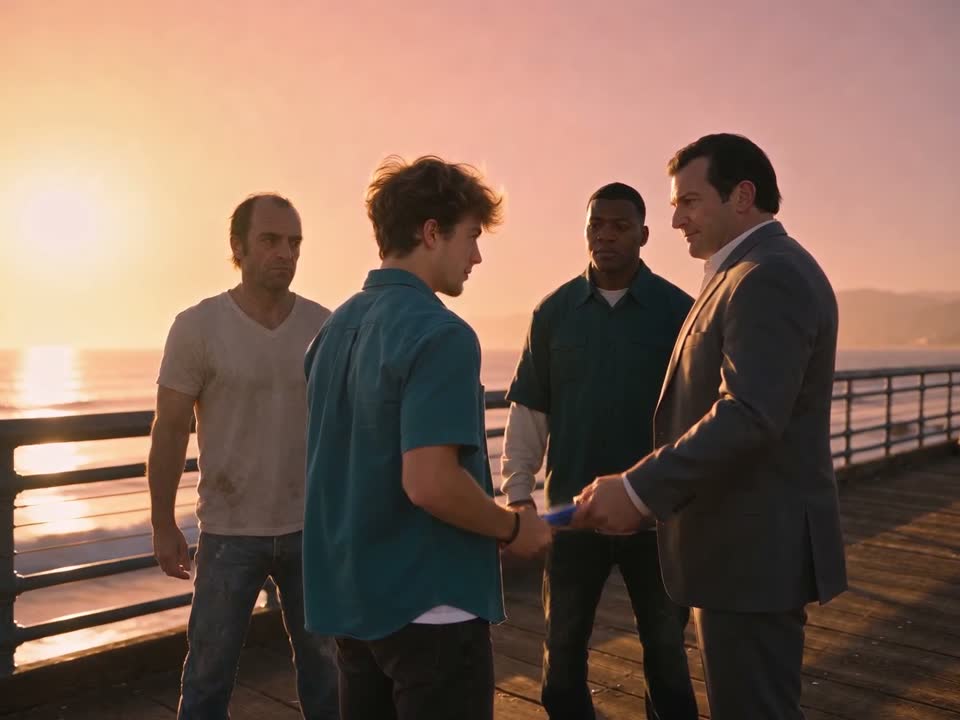
Michael holds out a game case to the fictional lead on the pier at sunset
The handover. Michael holds out a game case on the pier. You take his place in the exchange as the person receiving the gift. The first wide view gives the farewell a setting before the camera moves close enough to see what changed hands.
0:03.67–0:05.58
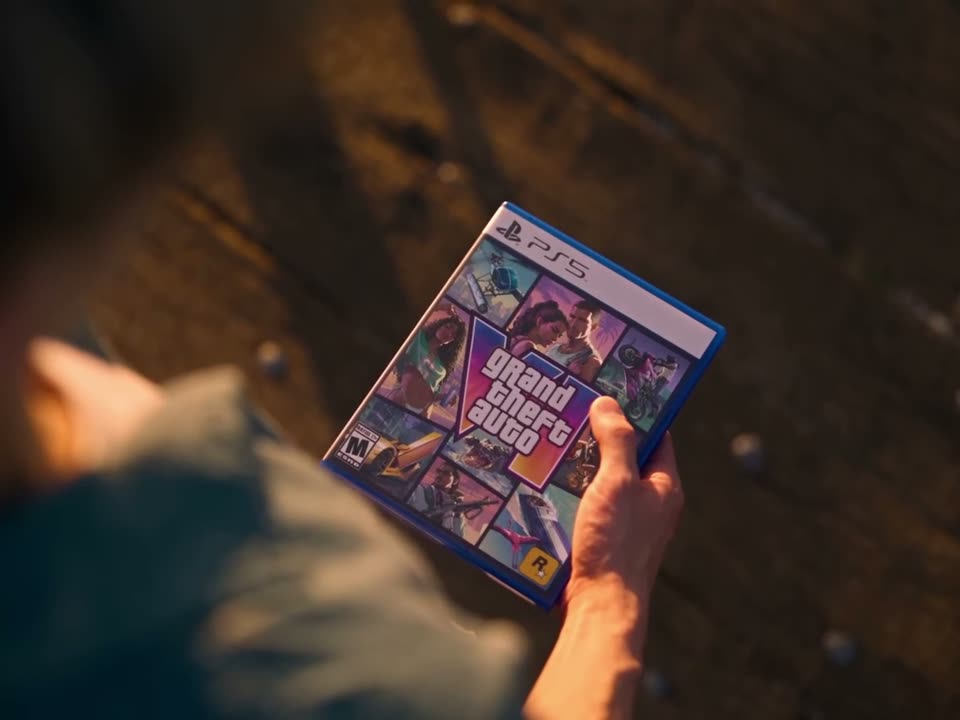
Close-up of the Grand Theft Auto VI game case changing hands on the pier
The case. The camera cuts from the people on the pier to the case changing hands. The original close-up lets you read the cover.
0:05.58–0:09.38
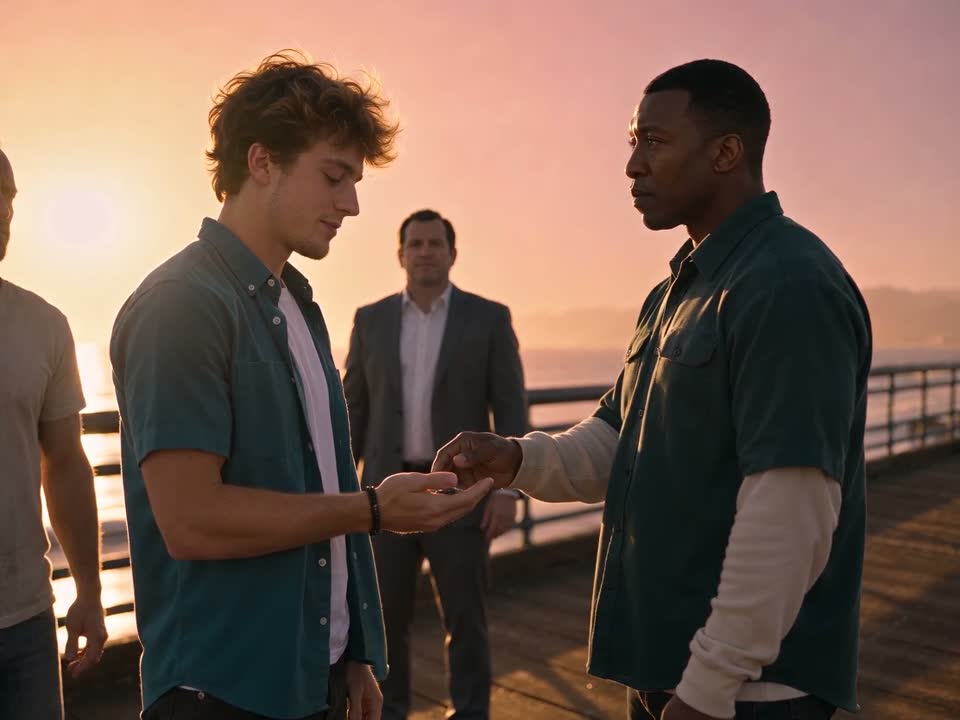
The fictional lead holds out a hand as the men gather on the pier
The keys. Franklin places the car keys in your hand. Michael stays nearby, and a pink sports car waits in the distance. This is the first hint of where the goodbye is going and who will be leaving the pier.
0:09.38–0:13.04
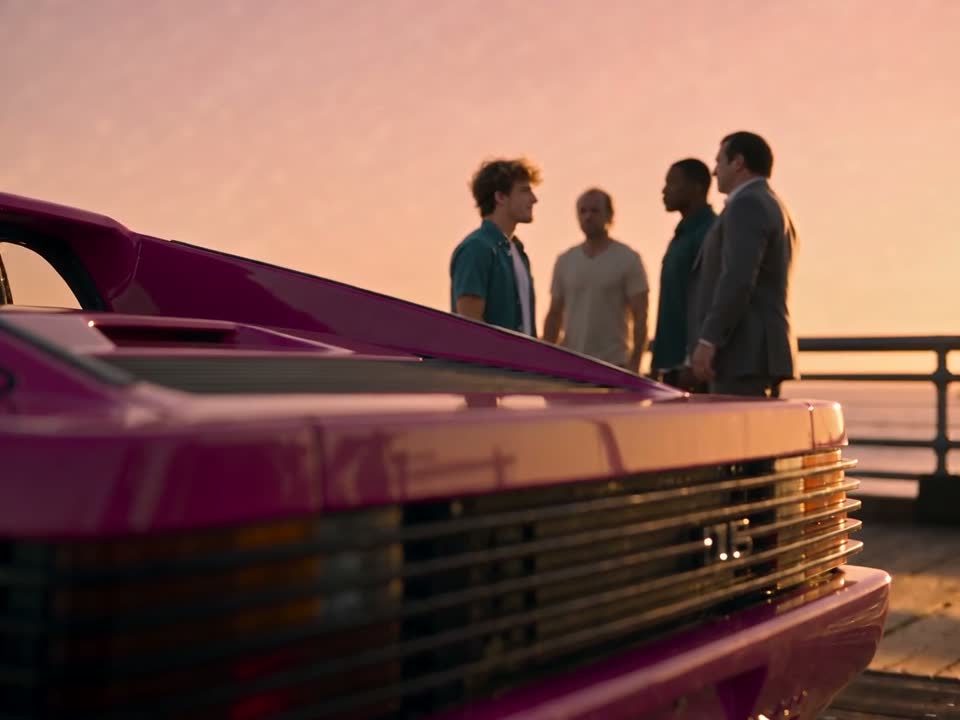
A pink sports car fills the foreground with four figures on the pier beyond it
The waiting car. The camera looks past the rear of the car toward the group. The change in scale is part of the shot. Your portrait guides the person standing with the others, even when that person occupies very little of the picture.
0:13.04–0:16.04
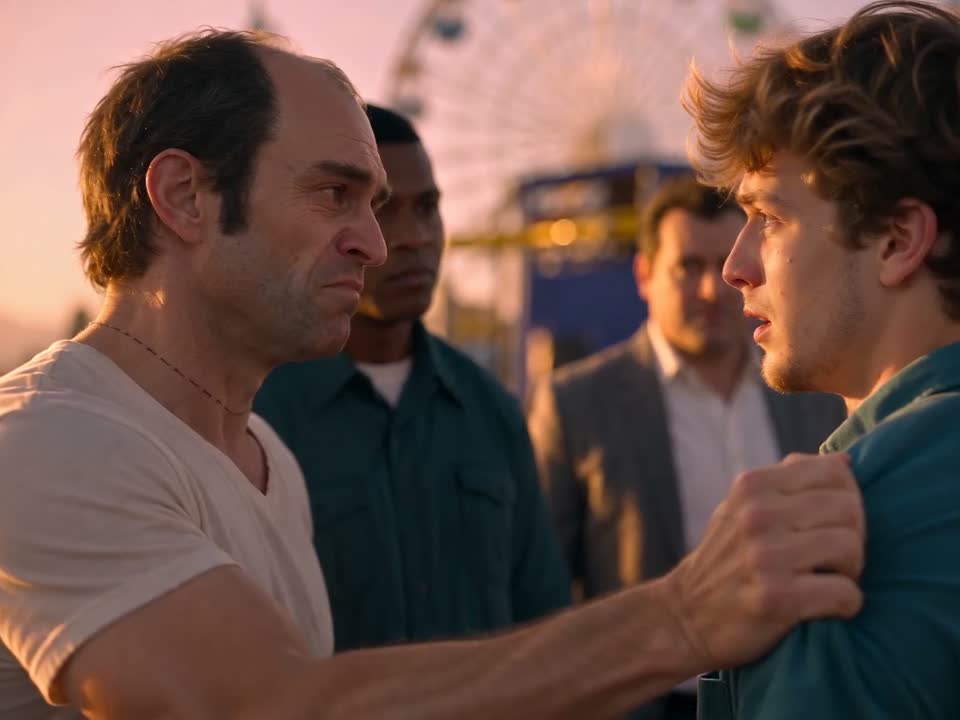
Trevor places a hand on the lead’s shoulder as the other men look on
A hand on your shoulder. Trevor reaches for your shoulder. The camera comes back to the people on the pier after the wide view of the car. His white shirt helps you follow the cut from the group to this two-person moment.
0:16.04–0:20.04
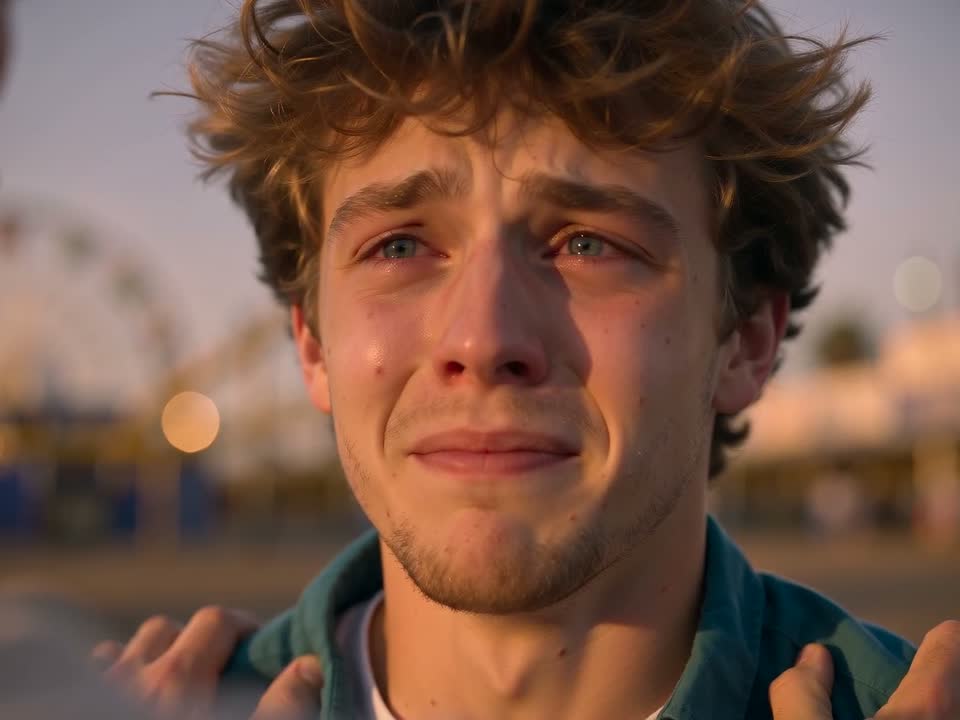
Tears gather in the fictional lead’s eyes in a close-up at sunset
The close-up. Your face fills the picture as the tears begin. This is the longest uninterrupted look at the lead and the best reason to choose a clear portrait. A soft expression in the source photo gives the model an unobstructed view of both eyes.
0:20.04–0:23.92
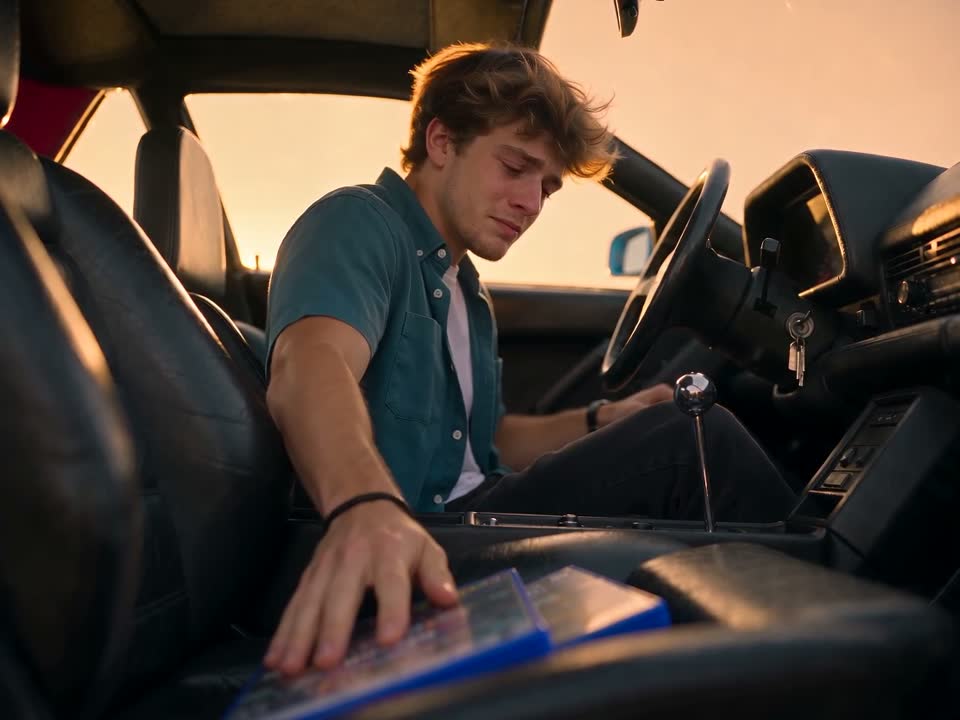
The lead reaches down with the game case from the driver’s seat
Inside the car. You set the game case down inside the car. The interior changes the light and camera angle while carrying the same object forward from the opening exchange. Your source photo supplies the person, and the template supplies the action.
0:23.92–0:26.33
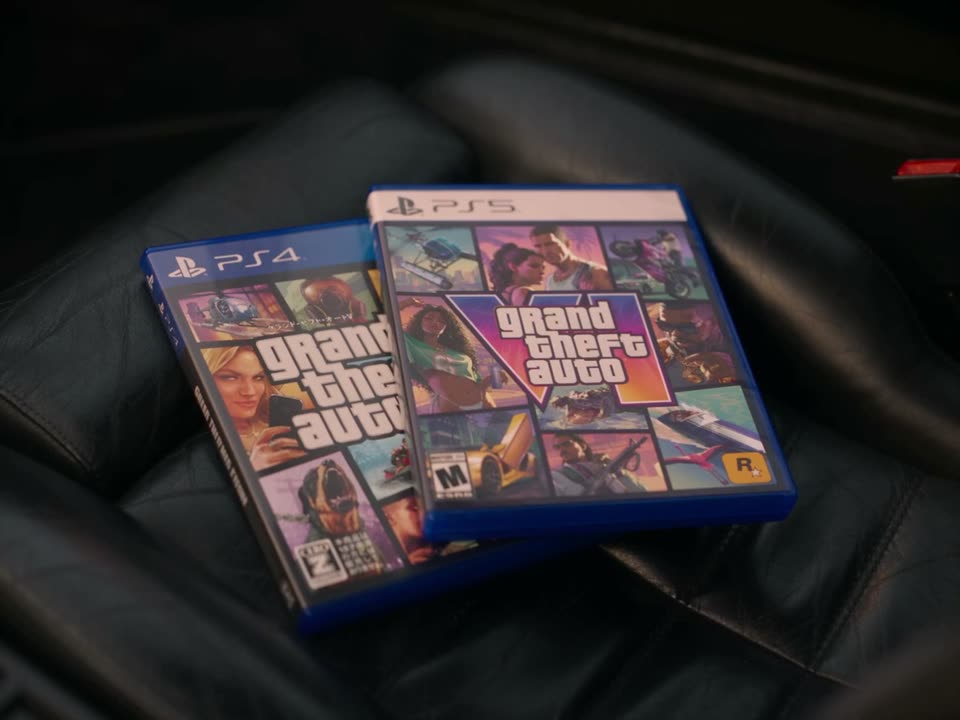
Two Grand Theft Auto game cases side by side inside the car
Two cases. Inside the car, the two cases sit side by side. This shot also comes from the original scene, with both covers visible together.
0:26.33–0:28.46
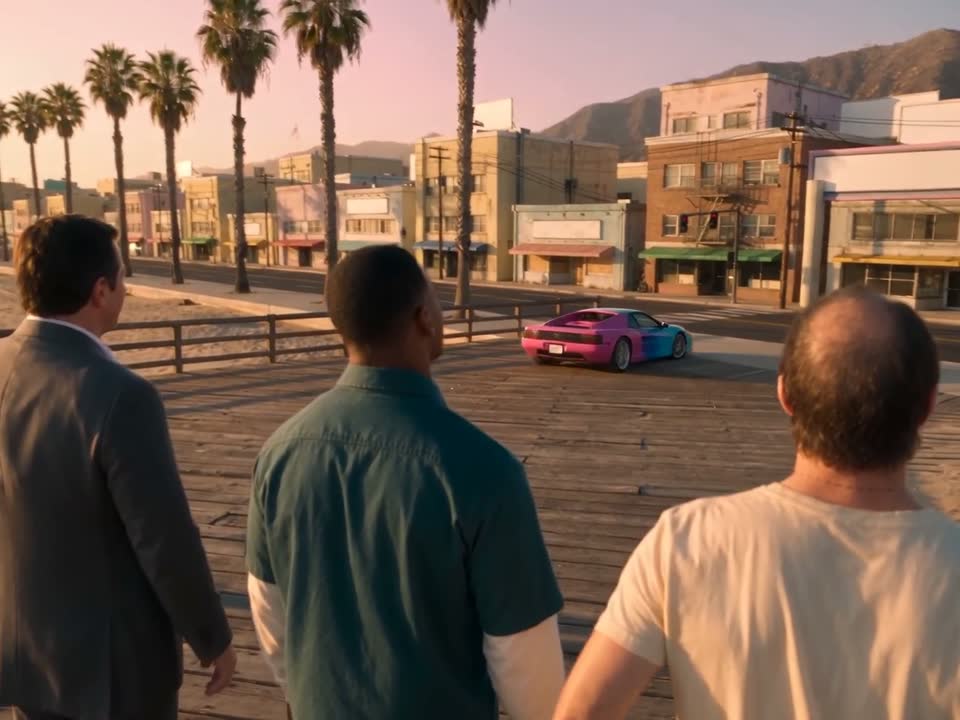
Michael, Franklin and Trevor watch the pink car leave the pier
The send-off. The three men stand with their backs to the camera while the pink car drives away. You are now in the car. The people left on the pier stay in the frame for a final beat before the view opens out.
0:28.46–0:30.92
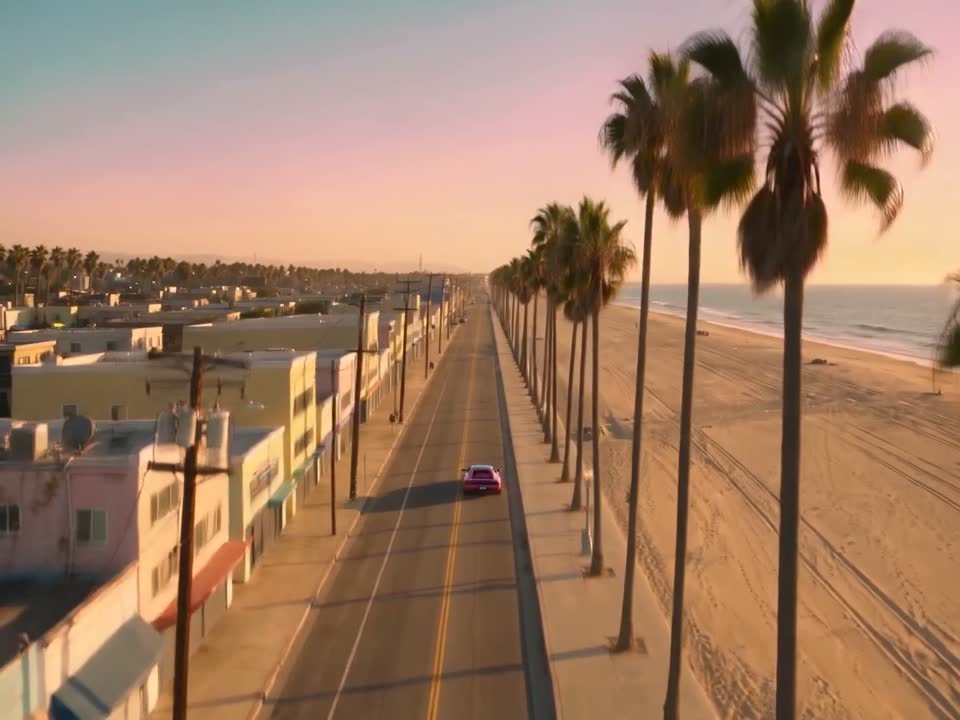
The pink sports car drives down a palm-lined road beside the beach
The coast road. An aerial view follows the car along the shore. The open water and the road carry the last seconds of the scene. Keep the full landscape frame when watching the ending so both the coastline and the departing car stay visible.

What is the GTA 5 goodbye trend?

The Goodbye GTA 5 trend turns leaving Los Santos into a farewell between friends. In the Instagram reel by @uekan2b, the three familiar figures see the lead off with a game case, car keys and a final look down the road. The GTA 5 goodbye AI video generator follows that sequence with a lead drawn from your photo.

Grand Theft Auto V first came out on September 17, 2013. Grand Theft Auto VI arrived on November 19, 2026. Those dates give the two cases in the car their context. You can follow the story through the exchange of gifts even if you have never played either game. See the original reel by @uekan2b.

See how the GTA 5 goodbye AI sites compare on price and length.

Photo tips

Do

Choose a front-facing portrait in even light with both eyes visible. A chest-up photo gives the generator useful information about the hairstyle, face and clothes that should carry through the cuts. Check the image at phone size before uploading. If you can see the eyes and outline of the face clearly there, the close-up has a better starting point.

Avoid

Leave out group shots, pets, minors, public figures and photos with an uncertain age. Sunglasses, hands across the face and heavy filters hide features the close-up needs. Use a JPEG, PNG or WebP under 5 MB. A fresh portrait in ordinary clothing is a better choice than a screenshot with captions or someone else in the background.

Price

$6.99 USD buys one personalized 720p video in a 4:3 landscape frame. It is a one-time purchase without credits, subscriptions or renewals. The finished cut runs about 30 seconds. If generation fails or the service cannot deliver the video, we initiate a full refund to the original payment method. Read the refund policy.

FAQ

Do I need to sign up?

No. Use a delivery email and keep the private order link that opens after checkout. You can return to that link from another device. If you lose it, enter the same address under Find my video and check your inbox.

How long does a video take?

There is no fixed turnaround. Four sections render in parallel. The service cuts in the two original game-case shots and reviews the assembled MP4 before delivery. Your order page shows progress. You can close the tab after checkout and wait for the email.

Does the video have sound?

Yes. The finished cut includes the original scene dialogue and music, timed to the exchanges on the pier and the drive away. The example starts muted. Use the speaker control to hear its soundtrack.

Is this an official GTA video?

No. This is an independent fan tribute inspired by the goodbye trend. Rockstar Games and Take-Two Interactive have no affiliation with the service. The clip is a fictional AI scene, and a purchase gives you no rights to official game assets or music.

How long is my photo kept?

We delete the uploaded photo from our own storage within 24 hours. Finished videos have a separate 30-day download window. Save the MP4 to your device before that window ends. The order page displays the deadline once the video is ready.

Can I put two people in the video?

Upload one photo of one consenting adult. The template supplies the three supporting characters, the car and the setting. If another person is visible in your picture, take a new solo portrait before you submit it.

Which model makes the video?

Seedance 2.0 Mini via EvoLink generates the four personalized sections. Your photo provides the appearance of the lead. Fixed motion references guide the camera and cuts, while scene references guide the pier, supporting cast and car. Individual renders can differ in small details.

Can I get a refund if I dislike the result?

Generation or delivery failure qualifies for an automatic full refund. A delivered personalized video is generally final, subject to applicable law. If the file is damaged, a charge appears twice or the order has another issue, contact support with your order number.

Can I preview before I pay?

Yes. Once your photo passes screening, you can request a single free watermarked still image of yourself on the pier. It has no sound and requires no payment. You can request a few previews per day.
Find my video

Enter the email you used at checkout to receive your private order links.

Back to the studio